TaskPort - Mobile Task Management
A mobile task management experience designed to help individuals and families organize responsibilities, stay on top of important tasks, and coordinate everyday life with less friction.

Client:
TaskPort
Category:
UX Strategy, Mobile, Design System, Task Flow and Core Features.
My Role:
Lead Product Designer
Live Preview
Live Preview
My Design Process
I use a user-centered approach to understand the problem, explore opportunities, and turn insights into simple, intuitive experiences. From initial research through final delivery, I focus on creating solutions that are useful for users, aligned with business goals, and practical to build.
My process covers four key stages:
01 — Research
Understand user needs, behaviors, and pain points to identify the right opportunities.
02 — UX Design
Turn insights into clear user flows, information architecture, wireframes, and prototypes.
03 — UI Design
Create intuitive, consistent interfaces with thoughtful visual hierarchy and reusable components.
04 — Delivery
Prepare development-ready designs, document interactions, and collaborate with developers through implementation.

Why are we doing this?
How the Idea Started
The owner already had an established project-management tool designed to help people organize projects, tasks, and responsibilities.
Inspired by the idea of bringing task management into everyday family life, we explored a new direction: a mobile task-management experience designed specifically for families.
The concept was to take familiar task-management capabilities and make them more personal and collaborative—allowing family members to create, assign, share, and complete tasks together.
From work tasks to family responsibilities
Instead of focusing only on individual productivity, the product would support shared responsibilities across a family.
For example:
A husband and wife could share household tasks and coordinate errands.
Parents could assign age-appropriate tasks to their children.
Children could see their responsibilities and mark tasks as completed.
A grandparent could be included in shared family tasks and reminders.
This became the starting point for a 0→1 product exploration—taking an initial idea and turning it into a mobile experience, from defining the users and core workflows to designing the interface and preparing the product for development.
The goal was simple: make managing everyday family responsibilities easier, more visible, and more collaborative.

How Do We Solve it?
How We Solved It
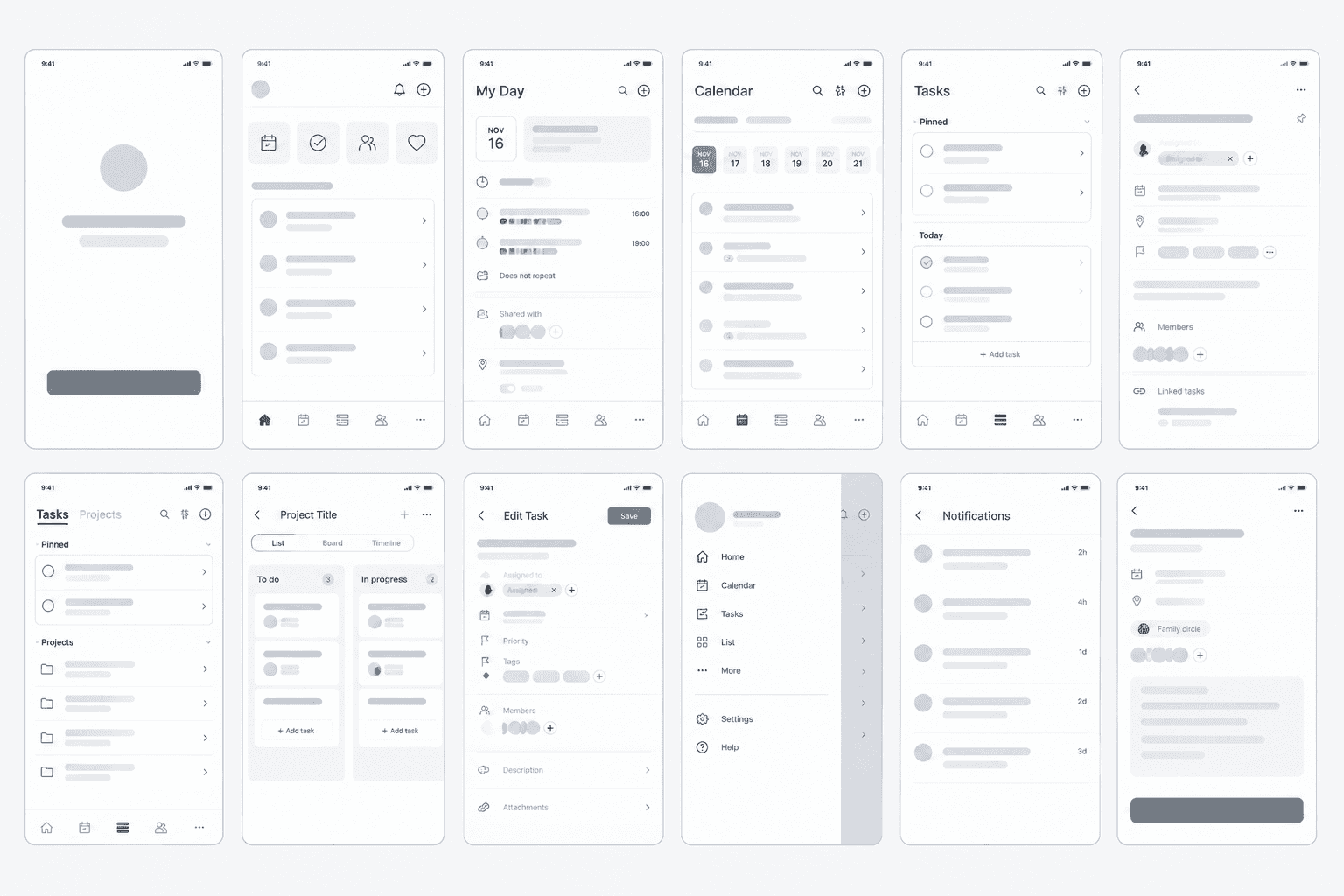
We designed a mobile-first task management experience that brings the family into one shared space.
Instead of managing responsibilities through separate notes, messages, or individual task lists, family members can create tasks, assign them to one another, share responsibilities, and see what has been completed.
The experience was built around three key ideas:
1. Make tasks easy to create
Creating a task should be quick and simple, whether it’s a household chore, grocery run, appointment, or family reminder.
2. Make responsibilities visible
Each family member can see what they need to do, what is coming up, and what has already been completed—reducing confusion about who is responsible for what.
3. Make task management collaborative
Tasks can be shared and assigned across the family, creating a central place where parents, children, and extended family members can coordinate everyday responsibilities.
The result
We transformed the original idea of task management into a shared family experience—designed to help people stay organized, communicate responsibilities, and get things done together.


“I’ve worked with many designers before, but this experience was on another level. The attention to detail and thoughtful approach made the process smooth and enjoyable.”

Lead Product Designer
Asif Myles
Related Projects

